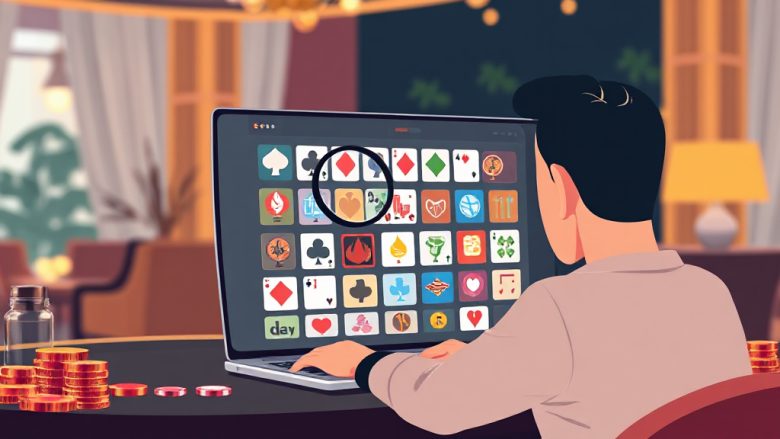
Is All Top Yono Rummy App Safe to Download? What to Check First
By the end of this page, you will know exactly how to judge any Yono Rummy app listing before you tap install, and you will have a short checklist you can reuse every time a new version appears. I moderate a community where the same questions come back week after week, so instead of repeating myself in every thread, I am putting the answers in one place. The goal is not to hype a particular build. The goal is to help you separate a clean download from a risky one, using the same signals I use when reviewing entries like the ones collected under All Top Yono Rummy App listings.
Most people who get burned do not get burned because they picked the wrong game. They get burned because they skipped a two-minute check. Below are the mistakes I see most often, paired with the correction that actually works.
Mistake and Correction: The Checks That Matter Before You Install
Mistake: Trusting the first search result because it looks official. Correction: Treat the source, not the design, as the proof. A polished landing page costs almost nothing to build. What costs something is a consistent listing history, a clear publisher name, and a page that tells you what the app actually does. When you browse a curated directory, look for entries that describe the app’s purpose in plain language rather than repeating the same marketing sentence on every card. A directory that groups apps into categories such as card games, casual titles, and utility tools is doing part of the verification work for you, because the listing has already been sorted rather than dumped into one feed.
Mistake: Assuming a familiar name guarantees a safe file. Correction: Names get copied constantly. Two apps can share almost identical branding while coming from completely different publishers. Before installing, check the publisher field, the version number, and the last update date. If a listing shows no publisher and no update history, that is not a minor gap. It is the single most common warning sign in the reports I read. Ask yourself whether the page gives you enough information to complain to someone if something goes wrong. If the answer is no, keep looking.
Mistake: Downloading from a link shared in a chat group. Correction: Use a stable, browsable source instead. Chat links are easy to fake and impossible to audit later. A directory page you can revisit, bookmark, and compare against other listings gives you a reference point. That reference matters when a new version appears and you need to confirm whether it is the same publisher or a lookalike. If you cannot find the app in any organized listing, that absence is information too.
Mistake: Ignoring permissions because the app is “just a game.” Correction: Read the permission list before you accept it. A card or board style game rarely needs access to your contacts, your call logs, or your full photo library. If the permission list is much longer than the feature list, stop. This is the check people skip most often, and it is the one that most directly affects your privacy. You do not need technical knowledge to do it. You only need to compare what the app says it does with what it asks to access.
Mistake: Judging quality by star rating alone. Correction: Read the middle reviews, not the extremes. Five-star reviews are often posted on day one, and one-star reviews are often about a single crash. The useful feedback sits in the middle, where people describe how the app behaved after a week of normal use. Look for repeated complaints about the same issue. One person mentioning a problem is noise. Ten people mentioning the same problem is a pattern.
Mistake: Assuming an app is fine because a friend uses it. Correction: Your friend’s device, region, and account setup may differ from yours. What works smoothly for one person can behave differently for another, especially with apps that update frequently. Use your friend’s recommendation as a starting point for research, not as a replacement for it. The two minutes you spend checking a listing page is far shorter than the time you would spend cleaning up a bad install.
Mistake: Skipping the update check after installation. Correction: Revisit the listing periodically. Publishers change hands, and apps that were clean at launch can drift. If the listed publisher name changes, or if the app suddenly requests new permissions after an update, treat that as a fresh decision point rather than a routine update. You are allowed to uninstall. Many people forget that option exists.
Mistake: Believing that a large number of listings means every listing is trustworthy. Correction: Volume is not the same as vetting. A directory with hundreds of entries is useful because it is organized, not because every entry has been personally tested. Use the structure to narrow your options, then apply your own checks to the shortlist. The directory gives you a starting map. You still have to walk the route.
Quick Summary and Repeat Questions
If you remember nothing else, remember this sequence: confirm the publisher, read the permission list, check the update history, and scan the middle reviews. Those four steps catch the overwhelming majority of problems, and they take less time than reading a single long thread in a community forum. Everything else is refinement.
One more habit worth building: keep your own short list of sources you trust and revisit it rather than starting from scratch each time. Organized listings are most valuable when you return to them, compare versions, and notice when something has changed. That is how a casual download becomes a considered choice.
Below are the questions I answer most often when this topic comes up.
Frequently Asked Questions
How do I know if a Yono Rummy app listing is legitimate?
Check whether the listing names a publisher, shows a version number, and includes a recent update date. Listings that describe the app’s actual features rather than repeating generic marketing lines are generally more reliable. If any of those details are missing, treat the listing as unverified and look for an alternative source before installing.
Are these apps safe on older phones?
Older devices often run older system versions, which may no longer receive security updates. That does not automatically make an app unsafe, but it does reduce your protection if something goes wrong. Check the app’s stated compatibility and make sure your device still receives system updates before you install anything new.
What should I do if an app starts asking for new permissions after an update?
Pause and review the request instead of accepting it automatically. Compare the new permission against what the app actually does. If there is no clear reason for the request, deny it and consider whether you still want the app installed. You can always revisit the listing to see whether other users have reported the same change.
Do I need to reinstall an app to get the latest version?
Usually not. Most apps update through the normal store or package process. Reinstalling is only necessary when an update fails or when the listing indicates a major version change. If you do reinstall, repeat your permission and publisher checks rather than assuming the new build is identical to the old one.
Why do some listings disappear from a directory?
Listings are sometimes removed because a publisher changed, a version became outdated, or a reported issue was not resolved. A missing listing is not proof of a problem, but it is a reason to be more careful. If an app you previously used is no longer listed anywhere, look for a clear explanation before downloading it from another source.